Users, roles and permissions
In System › Users & Access, create staff logins and assign a role. Permissions are per role: a user sees only what their role allows, and the server enforces the same rule, so typing a page address directly returns 403.
Investor logins are created only from the investor’s page and only ever reach the investor portal.
Good practice
- One login per person — never share.
- Remove leavers the same day.
- Give financial permissions only to finance staff.
Alerts and login history
- System › Alert recipients — who is notified for each alert type.
- Owner Alerts — the log of those alerts.
- Login History — successful and failed sign-ins. Repeated failures are throttled per account and per address.
Audit trail
Financial records, exports, document downloads, branding changes, e-mail settings and settings pages are recorded with who, when and what changed. Posted accounting history is never deleted; corrections are reversals.
Branding & Appearance
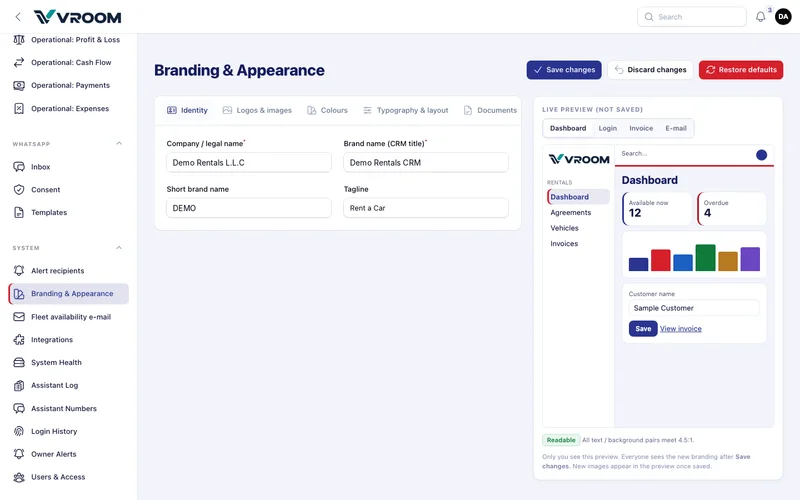
One page re-brands the CRM, the investor portal, the login page, e-mails and every printed document: identity, logos and images, colours, typography and layout, documents, e-mail and the login page.
- Open Logos & images.
- Under Primary logo, press Replace with and drop a PNG, SVG or WEBP (about 600 × 160 px, transparent background).
- Check the live preview, then press Save changes. Colleagues see the change after reloading.
Changes are previewed only for you until saved. Text and background pairs below 3:1 contrast cannot be saved. Required invoice fields, agreement clauses and financial figures cannot be hidden.