Connected tools · WhatsApp & notifications
The right message, to the right person, at the right time.
Invoices, statements and the daily fleet report go out by e-mail, and by WhatsApp once your Meta connection is live. Owner alerts and daily alerts reach the people you choose.
Configuration requiredE-mail runs on your configured mailbox. WhatsApp delivery requires the official Meta Cloud API connection and approved templates.
What it does for you
What changes for your team
Two channels, set independently
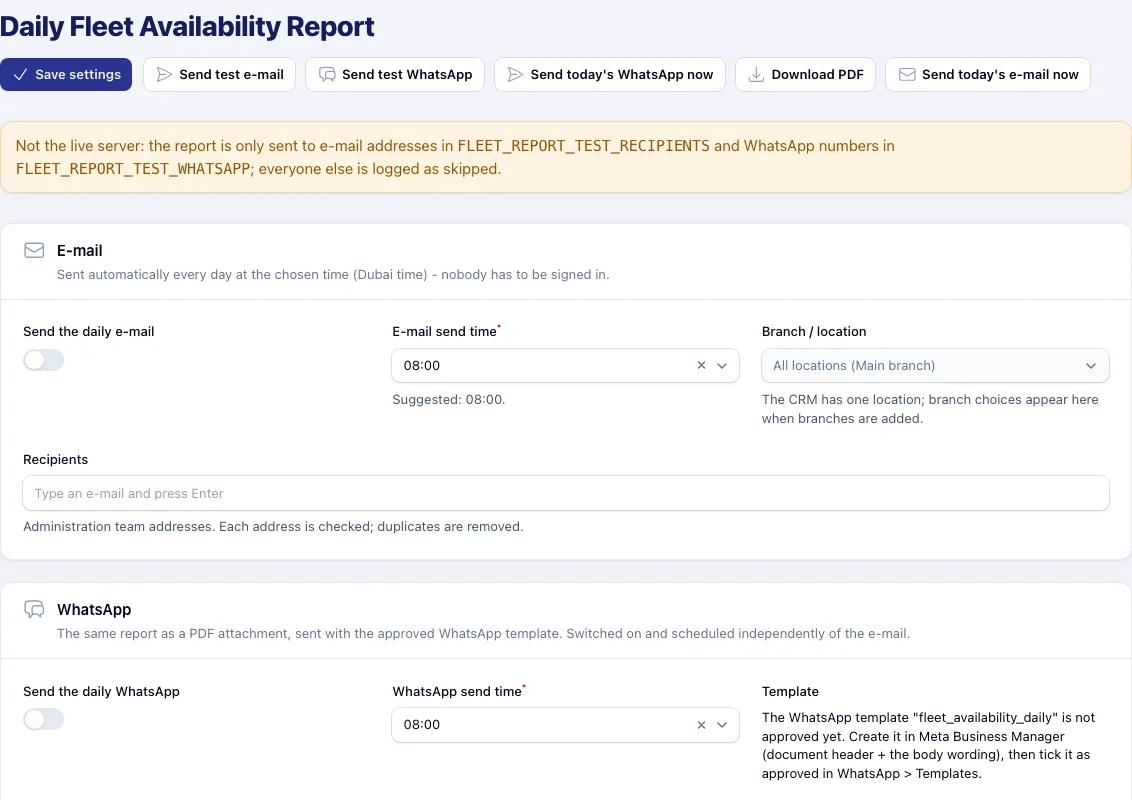
E-mail and WhatsApp each have their own on/off switch, recipients and Dubai-time schedule, and can be sent on demand.
Nothing fails silently
Every attempt appears in Delivery history. Partial WhatsApp sends list the numbers that failed; missing setup shows a red warning.
Owner alerts
Large payments, expenses, status changes and sign-ins can alert the owner. The alert log keeps the history.
Consent and templates in the CRM
WhatsApp inbox, consent and templates live under their own menu, so messaging follows Meta’s rules.
How it works
Turning on WhatsApp delivery
Template approval
Create the utility template in Meta Business Manager and wait for approval.
Mark it approved
In WhatsApp › Templates, match the name and language exactly and tick Approved.
Add numbers
Add staff numbers in international format (+971…). Local 05 numbers are refused rather than guessed.
Test, then go live
Send a test to yourself. Live delivery starts once the Meta connection is switched on.
In detail
What’s included
What can be sent
- Tax invoices by e-mail and WhatsApp (same A4 PDF)
- Daily fleet availability report (e-mail, and PDF on WhatsApp)
- Owner alerts and daily alerts
- Statements and documents by e-mail
Reliability built in
- Missed send times caught up the same day
- Each send tried 3 times, retried up to 5 times a day
- Delivery history by channel
- Test-copy allowlists so test systems never message real people
WhatsApp messaging is billed by Meta under your business account, separately from your VROOM subscription.
Questions
WhatsApp & Notifications: common questions
Something else? Ask our team or read the Help Center.
Do I need to be signed in for the daily report to send?
No. Once scheduled, it is sent automatically at the chosen Dubai time — nobody has to be logged in.
Why does WhatsApp say “skipped”?
The template is not approved yet, the live connection is not on, or you are on a test copy where only allowlisted numbers receive messages.
Connected to
Works hand in hand with
Next step
See your own rental workflow in VROOM.
Book a live demo and we will walk through a rental from booking to the financial statements, using demonstration data.