Product overview
Every vehicle. Every rental. Every payment. In one place.
VROOM brings rental operations, fleet records, billing and accounting into one workspace. Different departments work on connected records, so a booking becomes an agreement, an invoice and a payment without recreating the same customer details.
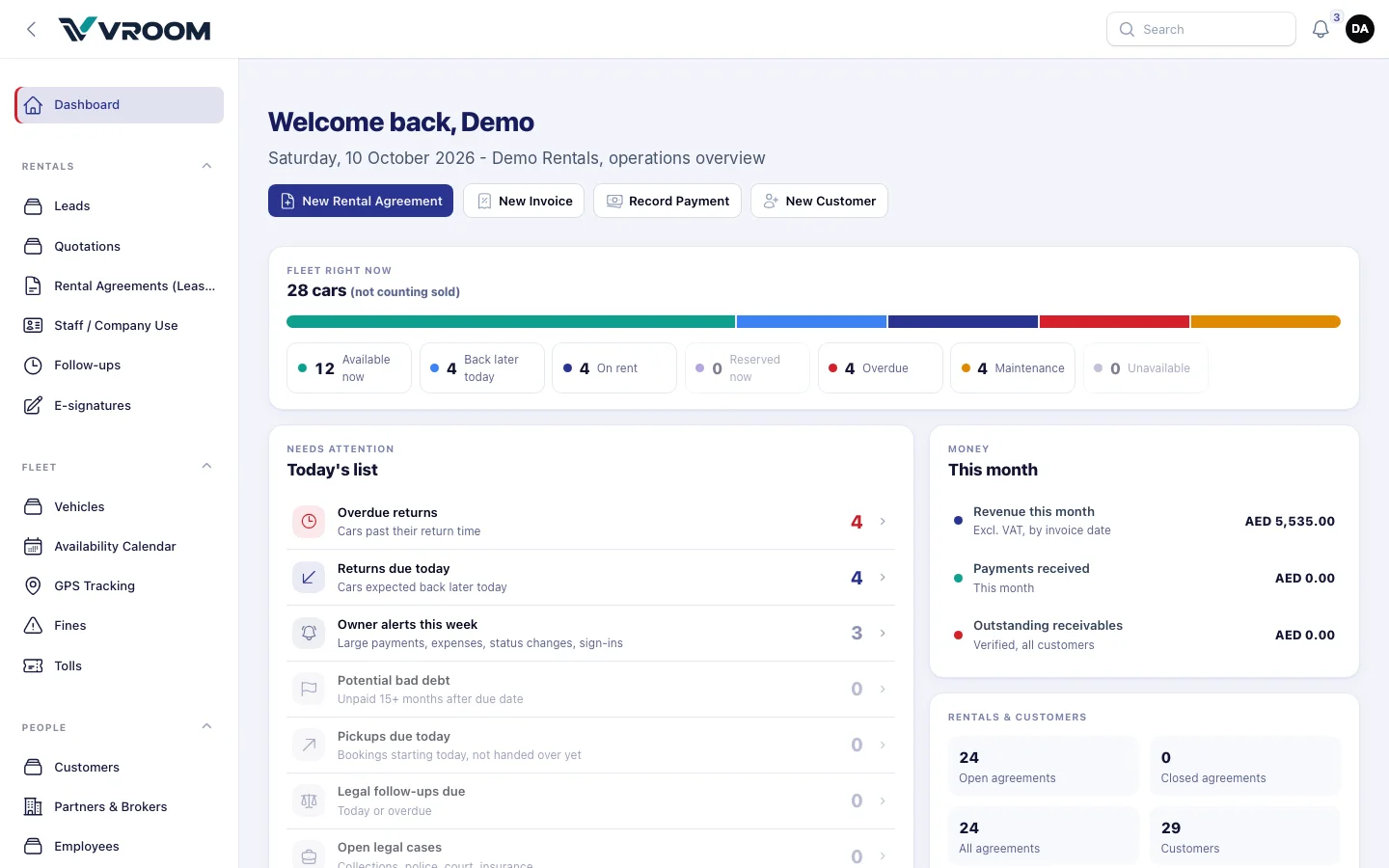
Seven workspaces
Organised the way a rental company is organised.
The counter, the fleet team, accounts and management each have a home — on the same underlying records.
-
Rentals
Leads, quotations, bookings, agreements, additional drivers, deposits and e-signatures
-
Fleet
Vehicles, availability, maintenance, GPS, fines and tolls
-
People
Customers, partners, brokers, employees and suppliers
-
Billing
Invoices, payments, credit notes, expenses and supplier bills
-
Finance
General ledger, financial statements, VAT return, banking, depreciation and investors
-
Legal & collections
Legal cases and approved bad-debt write-offs
-
System
Logins, roles, alerts, scheduled fleet reports, branding, integrations and audit logs
How the records connect
A rental moves through four states. Everything else hangs off it.
- 01DraftBooked
- 02StartActive / car out
- 03ReturnReturn recorded
- 04CloseSettled
Deposits stay linked to the agreement. Fines and tolls become invoice lines. Invoices, payments, approved expenses and approved supplier bills feed the general ledger. Credit notes post when applied.
Accountants use manual journals for adjustments, rather than typing double entries for everyday transactions. Operations and accounts can follow the same rental through linked records.
A normal day
What a day at the counter looks like.
From the VROOM handbook, with synthetic data.
- 08:00
The fleet report arrives
Cars available now, due back today, on rent, overdue and off the road — by e-mail, at the time you set.
- 09:00
Today’s list
Open the dashboard: pickups due, returns due and overdue returns, in order of urgency.
- 10:00
Hand-over
Open the booking, press Start. Record kilometres, fuel, deposit and signature.
- 14:00
A car comes back
Press Return. Enter kilometres, fuel and condition notes. The car is free immediately.
- 14:10
Invoice and payment
Create the invoice from the agreement, record the payment, attach the receipt. The ledger updates itself.
Roles and access
Each person sees what their job needs.
Permissions are set per role and enforced on the server. Investors use a separate portal and only see their own statements.
Roles and security| Role | Rentals | Fleet | Billing | Finance | System |
|---|---|---|---|---|---|
| Super Admin | Full | Full | Full | Full | Full |
| Owner | Full | Full | Full | Full | View |
| Admin / Manager | Full | Full | Full | View | As permitted |
| Accountant | No access | No access | Full | Full | No access |
| Rental / Sales agent | Full | View | As permitted | No access | No access |
| Fleet manager | No access | Full | No access | No access | No access |
| Viewer | View | View | View | No access | No access |
| Investor | Separate investor portal — own statements only | ||||
Under the hood
Built to be relied on.
One fleet picture
The calendar, the dashboard and the daily e-mail use one source for availability, so the numbers always agree.
The ledger is the truth
Official statements read the posted general ledger. Posted entries are corrected by reversal, never edited.
A4 documents, your brand
Invoices, agreements, quotations, statements and reports print as A4 portrait with your header and Page X of Y.
Everything auditable
Financial records, exports, document downloads and settings changes are recorded with who, when and what.
Desktop, tablet and phone
Runs in the browser. The calendar and lists adapt to small screens for staff on the move.
Nothing fails silently
Scheduled reports retry, log every attempt and show a warning when something is not configured.
Next step
See your own rental workflow in VROOM.
Book a live demo and we will walk through a rental from booking to the financial statements, using demonstration data.